Browsec vpn extension for microsoft edge a comprehensive guide to enhanced browsing
Browsec VPN extension for Microsoft Edge a comprehensive guide to enhanced browsing is all about making your browsing safer, faster, and more private without breaking your daily flow. Quick fact: VPN extensions like Browsec can help mask your IP, bypass geo-restrictions, and encrypt traffic with just a click. In this guide, you’ll get a practical, easy-to-follow overview of how Browsec works in Edge, plus tips, real-world usage, and best practices so you can browse with confidence.
What you’ll get in this guide
- A practical, step-by-step setup for Browsec VPN extension on Microsoft Edge
- Real-world use cases and scenarios where Browsec shines
- A breakdown of features, pricing, and performance metrics
- Common issues and quick troubleshooting tips
- Safety tips and privacy considerations when using VPNs
- A handy FAQ section to answer the most asked questions
Quick setup in two minutes Tiktok Not Working in China Even With a VPN Here’s The Real Reason: Why The Great Firewall Wins And How To Bypass Safely
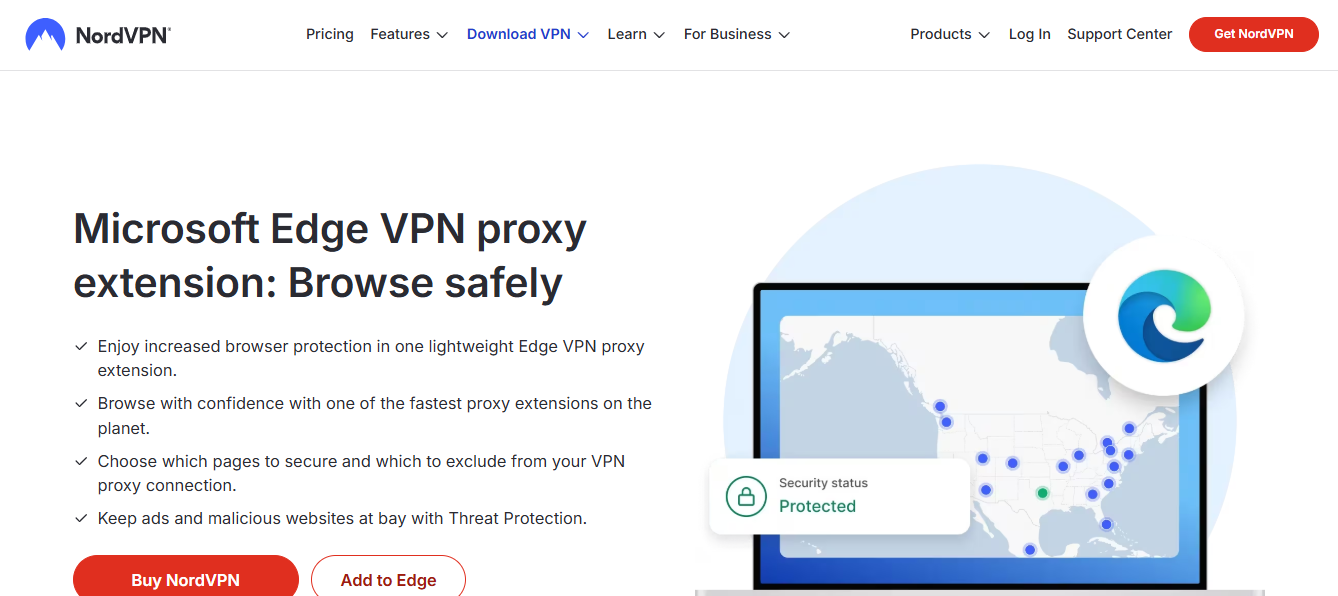
- Open Microsoft Edge and go to the Edge Add-ons store
- Search for Browsec VPN extension and click Add to Edge
- Sign in or create a Browsec account if you don’t have one
- Toggle the Browsec extension on in the Edge toolbar
- Choose a server location and confirm the connection
Why Browsec is a solid option for Edge users
- Easy one-click connection: Browsec is designed to be simple, so you don’t fight with settings before you’re protected.
- Location freedom: Choose from multiple countries to access geo-blocked content or test regional performance.
- Basic privacy shield: Your browser traffic gets encrypted, adding a layer of privacy on public networks.
- Lightweight and fast: Built to minimize impact on Edge’s performance, so you stay productive.
Key features to know
- Server locations: Browsec typically offers a range of countries. Availability may vary based on your plan.
- Encryption and protocol: Browsec uses standard VPN encryption, designed to balance security with speed.
- Auto-connect and whitelisting: You can set Browsec to auto-connect on startup or disable protection for certain sites.
- Tracker blocking and privacy settings: Some Browsec plans include additional privacy features; review what’s included with your tier.
- Pricing tiers: Browsec often offers a free tier with basic protection and paid plans for more locations and higher speeds. Compare plans to see what fits your needs.
Performance considerations
- Speed impact: Even with a lightweight extension, VPNs introduce some overhead. Expect a modest slowdown depending on server distance and network conditions.
- Server load: Performance can vary with how many users are on a given server. If you notice slowdowns, switch to a nearby server.
- Browser vs app VPN: Browsec in Edge protects browser traffic. For full device protection, you’d want a full VPN app or service.
Use cases when Browsec in Edge shines
- Bypassing geo-blocks for streaming sites or regional content libraries
- Accessing work or school resources when away from the office
- Testing geolocation-based features for development or QA
- Safe browsing on public Wi-Fi at cafes, airports, or hotels
How to optimize Browsec for Windows Edge Surfshark vpn very slow heres how to fix it fast: Surfshark VPN Slow Fixes, Speed Tips, and Troubleshooting
- Pick a nearby server for the best speed and latency
- Use the auto-connect feature only on trusted networks
- Review app permissions: Ensure Browsec has the necessary permissions without over-extending access
- Combine with privacy-conscious habits: Avoid sharing sensitive data on insecure sites, even when Browsec is on
- Check for updates: Keep Edge and the Browsec extension up to date to benefit from security patches and performance improvements
Security and privacy realities
- VPNs encrypt browser traffic but don’t make you anonymous. Your ISP can still see that you’re using a VPN, and Browsec won’t hide your activity from services that require login unless you’re signed in with privacy-conscious practices.
- Logging policies vary by provider. Browsec’s privacy policy explains how data is handled; review it so you know what’s logged, if anything.
- Malware risk and extensions: Use Browsec from the official Edge Add-ons store to minimize risk of counterfeit extensions. Always verify publisher details before installation.
Compatibility and limitations
- Edge-only protection: Browsec on Edge protects browser traffic but won’t encrypt other app traffic on your device. For complete device-wide protection, use a standalone VPN app.
- Browser storage: Extensions rely on browser storage for settings; clearing browser data can affect saved preferences.
- Site compatibility: Some sites detect VPN traffic and block access. Switching servers can help, or you may need to disable Browsec for those sites.
Troubleshooting common issues
- Extension not appearing in Edge: Check that you’ve added the extension from the official store and that you’re signed in.
- Connection failures: Try switching servers, restarting Edge, or temporarily disabling other extensions that might conflict.
- Slow speeds: Move to a nearby server, reduce the number of connected devices, or test during off-peak hours.
- Pages not loading with Browsec on: Disable Browsec for that site or add a site exception if you need direct access.
Comparison with other VPN extensions for Edge
- Pros of Browsec: Easy setup, lightweight, straightforward pricing, and reliable basic protection for everyday browsing.
- Cons: Fewer advanced features than some premium VPNs, like kill switch or split tunneling, in some plans.
- Alternatives worth considering: If you need more granular controls, consider other reputable Edge-compatible VPN extensions that offer features like auto kill switches, multi-hop, or broader platform support.
Privacy best practices when using Browsec Finding Secure VPNs on GitHub: Your Guide to Open Source Privacy and Safe Open-Source Networking
- Don’t log into sensitive accounts while connected to free or untrusted VPN servers if you need maximum privacy
- Use strong, unique passwords and enable multi-factor authentication where possible
- Keep Edge and Browsec updated to the latest versions
- Regularly review extension permissions and revoke access to anything you don’t recognize
Cost and value assessment
- Free vs paid plans: Free tiers are good for casual use, but paid plans usually unlock more servers, higher speeds, and additional features.
- Return on investment: If Browsec helps you securely access regional content or protect you on public Wi-Fi, it can be worth it for the convenience and peace of mind.
Best practices for business and education users
- Use Browsec to access region-specific resources, internal portals, or testing environments
- Enforce policy compliance: Ensure devices used for work or school have updated security settings and VPN usage is aligned with IT policies
- Monitor performance and user experience: Track latency, throughput, and access success rates to refine server choices
Maintenance tips
- Regularly review browsing data and privacy settings within Browsec
- Clear browser cache strategically to avoid stale VPN connections
- Reboot your browser or device if you encounter persistent connection issues
User stories and real-world scenarios
- Traveling for work: You want access to regional intranet and streaming perks without exposing data on public networks
- Remote collaboration: You need to test apps as users in different regions might experience them
- Student life: Access geo-restricted educational resources while staying on protected networks
What’s new and upcoming Le vpn piu veloci del 2026 le abbiamo davvero provate: guida completa, compare e consigli pratici
- Feature updates: VPN extensions often roll out new servers, improved performance, or tighter integration with Edge’s security features
- Policy and privacy changes: Providers periodically adjust privacy terms; staying informed helps you make informed choices
Use this quick checklist
- Did you install Browsec from the official Edge Add-ons store? Yes/No
- Is Browsec toggled ON in Edge? Yes/No
- Have you selected a nearby server location? Yes/No
- Have you verified the extension permissions? Yes/No
- Are you on the latest Edge and Browsec versions? Yes/No
Useful resources and guides
- Browsec official site and help center
- Microsoft Edge Extensions store
- Internet privacy basics and VPN education resources
- User forums and community support for hands-on tips
Recommended actions for readers
- Try Browsec on Edge for a week to gauge speed, reliability, and ease of use
- Compare Browsec with a couple of other providers to see which balance of features fits your needs
- Keep your accounts secure while browsing with strong passwords and MFA
Affiliate note If you’re looking to support the site while exploring Browsec, you can check out this link: NordVPN for context on how VPN services compare. This is included as a recommended resource that many readers find helpful when evaluating privacy and security options.
Frequently Asked Questions Is Mullvad VPN Good for China A Deep Dive into Bypassing the Great Firewall
What is Browsec VPN extension for Microsoft Edge?
A browser extension that adds VPN capabilities to Microsoft Edge, allowing you to connect to Browsec servers to encrypt browser traffic, change your apparent location, and access geo-blocked content.
How do I install Browsec on Edge?
Open Edge, go to the Add-ons store, search for Browsec VPN extension, click Add to Edge, sign in if needed, and enable it from the toolbar.
Does Browsec protect all my traffic in Edge?
Browsec protects browser traffic within Edge. Other apps on your device may not be covered by the extension.
Can Browsec unlock streaming libraries?
Yes, in many cases Browsec can help access geo-blocked streaming libraries, but performance varies by server load and the streaming service’s anti-VPN measures.
Is Browsec free to use?
There is typically a free tier with basic protections and paid plans that unlock more locations and features. Check current pricing on the official site. Vpns Proxies And Zscaler Whats The Difference And Do You Need Them: A Complete Guide For VPNs, Proxies, And Zscaler
Will Browsec slow down my browsing?
VPNs introduce some latency due to encryption and routing. A nearby server usually provides the best speed.
Is there a kill switch in Browsec?
Some plans include more advanced privacy features; check your plan details for a kill switch or equivalent protection.
Can I use Browsec on multiple devices?
Some Browsec plans allow multiple device connections; review your plan to confirm limits.
How do I troubleshoot Browsec if pages won’t load?
Try switching to a different server, refresh the page, disable other extensions that could conflict, or restart Edge.
Is Browsec safe on public Wi-Fi?
Using Browsec on public Wi-Fi is generally safer than browsing without a VPN, but you should still follow standard security practices like avoiding sensitive logins on shared networks. Nordvpn how to check and confirm your ip address location and keep it private
How do I know Browsec is connected?
Look for the Browsec icon in the Edge toolbar; a colored indicator usually shows an active connection and server location.
What about privacy policies?
Review Browsec’s privacy policy to understand data handling and retention policies before use.
Note: The content above provides a comprehensive, user-friendly guide to Browsec VPN extension for Microsoft Edge, focusing on practical steps, real-world usage, and privacy considerations.
| VPN | Obfuscation | From / month | Plan | Free plan | Refund | Alipay | UnionPay | Crypto | Website opens in China | Trustpilot | |
|---|---|---|---|---|---|---|---|---|---|---|---|
 NordVPN | Turn on manually Obfuscated Servers / NordWhisper | $3.49/mo | 27 months: $94.23 | No | 30 days | ? | ✗ | ✓ | ✓ | ✗ Blocked | 4.2/5 (51,628 reviews) |
 ZoogVPN | Turn on manually Shadow | $2.49/mo | 27 months: $59.99 | Yes | 7 days | ✓ | ✓ | ✓ | ✓ | Official site blocked; our special link opens (4.4 s) | 4.2/5 (195 reviews) |
 ExpressVPN | ✓ On by default all servers | $3.00/mo | 28 months: $84 | No | 30 days | ✗ | ✗ | ✓ | ✗ | ✗ Blocked | 4.4/5 (29,706 reviews) |
 Surfshark | ✓ On by default Camouflage, with OpenVPN | See site | See site | No | 30 days | ✗ | ✗ | ✗ | ✓ | ✗ Blocked | 4.3/5 (31,823 reviews) |
 Proton VPN | Turn on manually Stealth, free plan too | $2.99/mo | 12 months: $35.88 | Yes | 30 days | ✗ | ✗ | ✗ | ✓ | ✗ Blocked | 2.1/5 (1,040 reviews) |
 Astrill VPN | Turn on manually StealthVPN / OpenWeb | $12.50/mo | 24 months: $300 | No | See site | ✗ | ✗ | ✗ | ✓ | ✗ Blocked | 1.3/5 (110 reviews) |
 Private Internet Access | Turn on manually Shadowsocks, OpenVPN only | $2.03/mo | 40 months: $81.2 | No | 30 days | ✗ | ✗ | ✗ | ✗ | ✗ Blocked | 4.2/5 (11,033 reviews) |
 CyberGhost | Turn on manually selected servers | $2.19/mo | 28 months: $61.32 | No | 45 days | ✗ | ✗ | ✗ | ✓ | ✗ Blocked | 4.0/5 (24,178 reviews) |
 PureVPN | Turn on manually switch to OpenVPN | $1.69/mo | 60 months: $101.55 | No | 31 days | ? | ? | ✗ | ✓ | ✗ Blocked | 4.4/5 (17,994 reviews) |
 AdGuard VPN | ✓ On by default TrustTunnel | $2.99/mo | 24 months: $71.76 | Yes | 30 days | ✓ | ✗ | ✓ | ✓ | Official site blocked; our special link opens (3.7 s) | 4.3/5 (290 reviews) |
 Mullvad | Turn on manually QUIC / Shadowsocks / LWO | $5.61/mo | €5/mo | No | 14 days | ✗ | ✗ | ✗ | ✓ | ✗ Blocked | 3.2/5 (192 reviews) |
 Windscribe | Turn on manually Stealth / WStunnel | $5.75/mo | 12 months: $69 | Yes | See site | ✗ | ✗ | ✗ | ✓ | ✗ Blocked | 4.7/5 (13,355 reviews) |
 StrongVPN | Turn on manually Scramble, OpenVPN TCP | See site | See site | No | 30 days | ✓ | ✗ | ✗ | ✗ | ✗ Blocked | 4.4/5 (2,695 reviews) |
 LightXtreme 闪连 | Not listed | $7.08/mo | 12 months: $84.99 | Yes | 30 days | ✓ | ✓ | ✓ | ✓ | ✓ Yes (3.5 s) | No page |
Prices checked 2026-11-10 on each vendor's pricing page (cheapest long plan, USD). Check the vendor's checkout for the final price.
Obfuscation checked 2026-11-14 on each vendor's site and help center: "on by default" = nothing to set; "turn on manually" = switch protocol or mode in settings; "not listed" = the vendor describes no obfuscation.
Payment methods checked 2026-11-10 on each vendor's payment pages: all 14 take cards and PayPal; ✗ = not listed, ? = the vendor's own pages disagree.
China access: whether the official website opens from mainland China networks (tests the website only, not the VPN connection). Last checked 2026-11-18 01:02 Beijing time.
Trustpilot score and review count checked 2026-11-10.