How to Set Up NordVPN Manually on Windows 11: Quick Guide, Tips, and VPN Best Practices
How to set up nordvpn manually on windows 11



- Introduction: Quick fact: you can manually configure NordVPN on Windows 11 without the NordVPN app and still get secure, private browsing. This guide walks you through every step, with practical tips and real-world checks so you’re up and running fast.
If you’re new to NordVPN, you’re not alone. Some folks love the app, others prefer a lean manual setup for specific use cases like restricted networks or device-wide configurations. In this post, you’ll find:
- A step-by-step, easy-to-follow walkthrough
- Quick checks to verify a secure connection
- Common issues and how to troubleshoot them
- A comparison of manual setup vs. the app
- Helpful tips to maximize privacy and performance
Useful resources and quick links unlinked text for easy copy-paste: Apple Website - apple.com Artificial Intelligence Wikipedia - en.wikipedia.org/wiki/Artificial_intelligence NordVPN Support - nordvpn.com/support Windows 11 Official - support.microsoft.com NordVPN Official Blog - nordvpn.com/blog
Table of Contents
- Why configure NordVPN manually on Windows 11
- Prerequisites
- Step-by-step: manual setup via Windows built-in VPN
- Testing and troubleshooting
- Advanced tips for power users
- Security and privacy best practices
- FAQ
Why configure NordVPN manually on Windows 11
Manual setup offers flexibility when you don’t want or can’t install the NordVPN app. It’s also helpful for:
- Corporate or school networks with app restrictions
- Dedicated devices that must avoid autoplay software
- Users who want to integrate VPN into specific routing rules or scripts
- Scenarios where you want to leverage Windows built-in VPN client features
But a quick note: the NordVPN app provides extra features like CyberSec, auto-connect, and quick server switching. Manual configuration gets you basic, encrypted tunnels and IP masking, which is often enough for everyday browsing, streaming, and secure remote work.
Prerequisites
Before you start, gather these:
- NordVPN account credentials username and password
- Active NordVPN subscription
- Windows 11 PC with up-to-date updates
- Your preferred VPN protocol choice OpenVPN over UDP/TCP, or WireGuard if you set it up manually via configuration files
- Administrative access on the Windows 11 machine
Optional but helpful:
- A list of preferred NordVPN servers country or city
- A basic understanding of VPN terminology IKEv2, OpenVPN, WireGuard, etc.
Step-by-step: manual setup via Windows built-in VPN
Here’s a straightforward path to a manual NordVPN setup on Windows 11 using the built-in VPN client. The exact steps may vary slightly depending on your version of Windows 11, but the flow is solid. Fritzbox vpn auf dem iphone einrichten dein wegweiser fur sicheren fernzugriff
Step 1: Open Network Settings
- Click the Start button and open Settings.
- Go to Network & Internet.
- Select VPN from the right pane.
Step 2: Add a VPN Connection
- Click “Add VPN.”
- VPN provider: Windows built-in
- Connection name: NordVPN or any name you prefer
- Server address: You’ll enter this from your NordVPN server list for example, us1234.nordvpn.com or the server address provided in your NordVPN portal
- VPN type: OpenVPN Indirectly via OpenVPN protocol or L2TP/IPsec with a pre-shared key if you have those details. Note: NordVPN officially uses OpenVPN, IKEv2/IPsec, or WireGuard via NordLynx. When configuring manually, you’ll typically use OpenVPN conventions or WireGuard if you have config files.
- Type of sign-in info: Username and password
- Username: Your NordVPN account email
- Password: Your NordVPN password
Step 3: Obtain and input server and certificate details
- If you’re using OpenVPN, Windows’ built-in client isn’t ideal for full OpenVPN, which is typically configured via .ovpn files with a third-party client. Instead, you can use Windows’ built-in VPN for IKEv2 or L2TP/IPsec. For OpenVPN, consider a compatible client like OpenVPN Connect.
- If you still want to use Windows’ VPN client, you may choose IKEv2/IPsec with a pre-shared key. NordVPN’s standard setups usually involve OpenVPN/WireGuard, so you’d need to export configuration from NordVPN or use a third-party adapter for OpenVPN.
Step 4: Enter your authentication details
- Enter your NordVPN username email and password.
- Save the configuration.
Step 5: Advanced settings optional but recommended
- Go to your newly created VPN connection and click Advanced options.
- Adjust “VPN type” if you have specific requirements IKEv2/IPsec with 3DES or AES, etc.—but NordVPN typically uses AES-256.
Step 6: Connect
- From the VPN settings screen, select the NordVPN connection and click Connect.
- If prompted, approve the connection and allow the VPN to create a tunnel.
Step 7: Verify your connection
- Check the VPN status icon in the taskbar a small monitor with a key.
- Open a browser and visit a site like whatismyipaddress.com to confirm your IP region has changed to the server’s location.
- You should also verify DNS: run a DNS leak test to ensure your DNS requests go through NordVPN servers.
Step 8: Optional: configure per-app routing
- You can use Windows 11’s built-in settings to route traffic from specific apps through the VPN by using firewall rules or route tables. This is more advanced and often used by power users.
Testing and troubleshooting
If you run into issues, here are practical checks and fixes:
Problem: Cannot connect
- Double-check server address and type IKEv2/IPsec vs. OpenVPN. If you’re aiming for OpenVPN, Windows’ built-in client won’t handle .ovpn files without a third-party app.
- Ensure your NordVPN subscription is active and you’re using valid credentials.
- Temporarily disable firewall or antivirus software to rule out interference.
- Try a different server location to test regional blocks.
Problem: Slow speeds
- Switch to a server closer to your location or one optimized for streaming.
- Confirm you’re using the intended protocol WireGuard/NordLynx tends to be faster than OpenVPN on many connections.
- Check for bandwidth caps from your ISP or network.
Problem: DNS leaks
- Use NordVPN’s DNS service if available or confirm you’re forcing DNS through the VPN. Run a DNS leak test to verify.
Problem: IP not changing Who Exactly Owns Proton VPN Breaking Down the Company Behind Your Privacy
- Reconnect, or try a different server. Ensure that you’re not connected to multiple VPNs simultaneously disable any other VPNs.
Problem: WebRTC leaks
- On Windows, WebRTC leaks can reveal your IP. Use privacy-focused browser extensions or disable WebRTC in browser settings if possible.
Advanced tips for power users
- Combine with firewall rules: Route only specific apps through the VPN. For example, you might route your browser through NordVPN while leaving a local app on a direct connection.
- Create a separate Windows user profile for VPN use to isolate VPN-related network settings.
- Schedule VPN connections: Use Task Scheduler to auto-connect on login or at a specific time, useful for remote work.
- Scripted connections: For automated environments, consider PowerShell scripts that toggle a VPN connection state using Windows’ RasDial or netsh commands note: OpenVPN and WireGuard setups may require additional tooling.
Security and privacy best practices
- Use strong authentication: Ensure your NordVPN account has a strong password and enable two-factor authentication if available.
- Prefer WireGuard/NordLynx where possible for speed and modern crypto.
- Enable CyberSec if you’re using the NordVPN app to block malicious sites; with manual setup, you’ll need separate DNS filtering or firewall rules to mimic this capability.
- Verify your IP and DNS leaks after every reconfiguration.
- Update Windows and any VPN client tools regularly to patch vulnerabilities.
Quick-reference comparison: manual setup vs. NordVPN app
Manual setup pros:
- Greater control over routing and protocols
- Works on devices where the app is restricted
- Lightweight footprint
Manual setup cons:
- Fewer features no CyberSec, auto-connect, quick server switch
- More complex to configure OpenVPN or WireGuard with Windows built-in tools
- Longer setup time for non-technical users
NordVPN app pros:
- One-click connect to thousands of servers
- Built-in CyberSec, kill switch, auto-connect
- Easy server switching and quick troubleshooting tools
- Automatic DNS protection and leak prevention
NordVPN app cons: How to fix SBS Not Working With Your VPN: Quick, Step-By-Step Solutions for 2026
- Slightly more resource usage
- Requires installing the app which some organizations restrict
| VPN | Obfuscation | From / month | Plan | Free plan | Refund | Alipay | UnionPay | Crypto | Website opens in China | Trustpilot | |
|---|---|---|---|---|---|---|---|---|---|---|---|
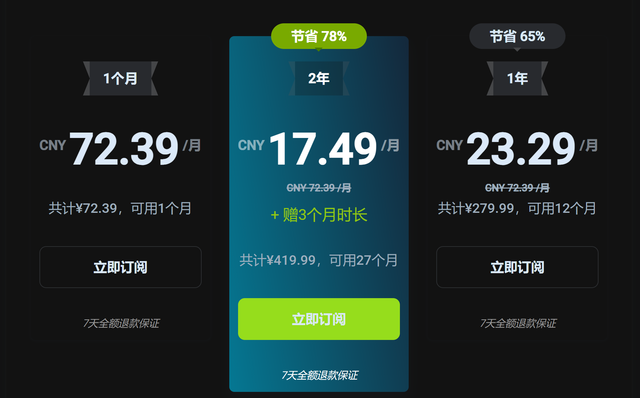
 NordVPN | Turn on manually Obfuscated Servers / NordWhisper | $3.49/mo | 27 months: $94.23 | No | 30 days | ? | ✗ | ✓ | ✓ | ✗ Blocked | 4.2/5 (51,628 reviews) |
 ZoogVPN | Turn on manually Shadow | $2.49/mo | 27 months: $59.99 | Yes | 7 days | ✓ | ✓ | ✓ | ✓ | Official site blocked; our special link opens (4.4 s) | 4.2/5 (195 reviews) |
 ExpressVPN | ✓ On by default all servers | $3.00/mo | 28 months: $84 | No | 30 days | ✗ | ✗ | ✓ | ✗ | ✗ Blocked | 4.4/5 (29,706 reviews) |
 Surfshark | ✓ On by default Camouflage, with OpenVPN | See site | See site | No | 30 days | ✗ | ✗ | ✗ | ✓ | ✗ Blocked | 4.3/5 (31,823 reviews) |
 Proton VPN | Turn on manually Stealth, free plan too | $2.99/mo | 12 months: $35.88 | Yes | 30 days | ✗ | ✗ | ✗ | ✓ | ✗ Blocked | 2.1/5 (1,040 reviews) |
 Astrill VPN | Turn on manually StealthVPN / OpenWeb | $12.50/mo | 24 months: $300 | No | See site | ✗ | ✗ | ✗ | ✓ | ✗ Blocked | 1.3/5 (110 reviews) |
 Private Internet Access | Turn on manually Shadowsocks, OpenVPN only | $2.03/mo | 40 months: $81.2 | No | 30 days | ✗ | ✗ | ✗ | ✗ | ✗ Blocked | 4.2/5 (11,033 reviews) |
 CyberGhost | Turn on manually selected servers | $2.19/mo | 28 months: $61.32 | No | 45 days | ✗ | ✗ | ✗ | ✓ | ✗ Blocked | 4.0/5 (24,178 reviews) |
 PureVPN | Turn on manually switch to OpenVPN | $1.69/mo | 60 months: $101.55 | No | 31 days | ? | ? | ✗ | ✓ | ✗ Blocked | 4.4/5 (17,994 reviews) |
 AdGuard VPN | ✓ On by default TrustTunnel | $2.99/mo | 24 months: $71.76 | Yes | 30 days | ✓ | ✗ | ✓ | ✓ | Official site blocked; our special link opens (3.7 s) | 4.3/5 (290 reviews) |
 Mullvad | Turn on manually QUIC / Shadowsocks / LWO | $5.61/mo | €5/mo | No | 14 days | ✗ | ✗ | ✗ | ✓ | ✗ Blocked | 3.2/5 (192 reviews) |
 Windscribe | Turn on manually Stealth / WStunnel | $5.75/mo | 12 months: $69 | Yes | See site | ✗ | ✗ | ✗ | ✓ | ✗ Blocked | 4.7/5 (13,355 reviews) |
 StrongVPN | Turn on manually Scramble, OpenVPN TCP | See site | See site | No | 30 days | ✓ | ✗ | ✗ | ✗ | ✗ Blocked | 4.4/5 (2,695 reviews) |
 LightXtreme 闪连 | Not listed | $7.08/mo | 12 months: $84.99 | Yes | 30 days | ✓ | ✓ | ✓ | ✓ | ✓ Yes (3.5 s) | No page |
Prices checked 2026-11-10 on each vendor's pricing page (cheapest long plan, USD). Check the vendor's checkout for the final price.
Obfuscation checked 2026-11-14 on each vendor's site and help center: "on by default" = nothing to set; "turn on manually" = switch protocol or mode in settings; "not listed" = the vendor describes no obfuscation.
Payment methods checked 2026-11-10 on each vendor's payment pages: all 14 take cards and PayPal; ✗ = not listed, ? = the vendor's own pages disagree.
China access: whether the official website opens from mainland China networks (tests the website only, not the VPN connection). Last checked 2026-11-18 01:02 Beijing time.
Trustpilot score and review count checked 2026-11-10.
Frequently asked questions
How do I install NordVPN on Windows 11 manually?
You don’t strictly install NordVPN in the traditional sense; you configure Windows’ built-in VPN client to connect to NordVPN servers using a compatible protocol IKEv2/IPsec or L2TP/IPsec, or you use a third-party OpenVPN client for OpenVPN configurations. The exact steps depend on the protocol and server details you’re using.
Can I use NordLynx WireGuard with manual setup on Windows 11?
Yes, but you’ll typically need a config file or a third-party WireGuard client. NordVPN’s official app supports NordLynx, and manual setups often rely on WireGuard configs provided by NordVPN for supported devices.
Is it safer to use the NordVPN app instead of manual setup?
For most users, yes. The app includes a kill switch, CyberSec, auto-connect, DNS protection, and easier server switching. Manual setup is great when the app isn’t an option or you need fine-grained control.
What protocols should I use for Windows 11 manual VPN?
OpenVPN via third-party client or WireGuard/NordLynx if you have config files. If you’re sticking with Windows built-in, IKEv2/IPsec or L2TP/IPsec are the practical options, depending on server support.
How can I test my VPN connection on Windows 11?
- Check IP address on a site like whatismyipaddress.com to verify the server location changed.
- Run a DNS leak test to ensure queries aren’t leaking to your ISP.
- Use an IP geolocation check to verify you appear in the VPN server’s country.
How do I troubleshoot DNS leaks on manual VPN setups?
Use a DNS leak test tool to see if DNS requests are going through the VPN. If leaks are detected, consider using a dedicated DNS service through the VPN tunnel or configure DNS over HTTPS DoH in the browser while connected to VPN. Avg Ultimate VPN Review Is It Really Worth Your Money? A Deep-Dive for VPNs Enthusiasts
Can I run NordVPN manually on multiple Windows 11 devices?
Yes. Each device will require its own configuration steps. You can reuse server addresses and credentials, but you’ll need to set up the VPN connection separately on each device.
Is a kill switch available in manual setups?
With Windows’ built-in VPN client, a native kill switch isn’t as robust as the NordVPN app. You can implement a basic kill-switch through firewall rules to block traffic if the VPN disconnects, but it’s more complex.
How do I switch servers quickly in a manual setup?
In manual setups, you generally disconnect and reconnect with a different server address. If you’re using third-party VPN software like OpenVPN Connect or WireGuard, you can switch by changing the configuration file or selecting a different profile.
What about corporate networks with proxies?
If you’re behind a corporate proxy, you may need to adjust your VPN settings to route through the proxy or bypass it for certain traffic. In some cases, corporate proxies may block VPN protocols, so consult your IT department if this affects you.
Final notes
Manual VPN setup on Windows 11 gives you a lean, adaptable way to secure your traffic when you can’t or don’t want to install the NordVPN app. For everyday use, the NordVPN app is the simplest path to robust protection, but knowing how to configure Windows’ built-in VPN client opens up powerful, flexible options for power users and niche scenarios. How to Fix VPN Javascript Errors Your Step by Step Guide: Quick Troubleshooting for Smooth Connections
If you want a smoother experience and you’re comfortable with a single-click solution, consider trying the NordVPN app as well. Either way, keeping your connection secure, testing for leaks, and staying aware of your protocol choices will help you maximize privacy and performance on Windows 11.